Latest Posts

Mac Pro Graphics Card Upgrade – ATI Radeon HD 5770

This blog post has a geek rating of 5. It has explicit descriptions of computer parts and even the cultural references are aimed at those who believe anoraks are not just for rainy days.

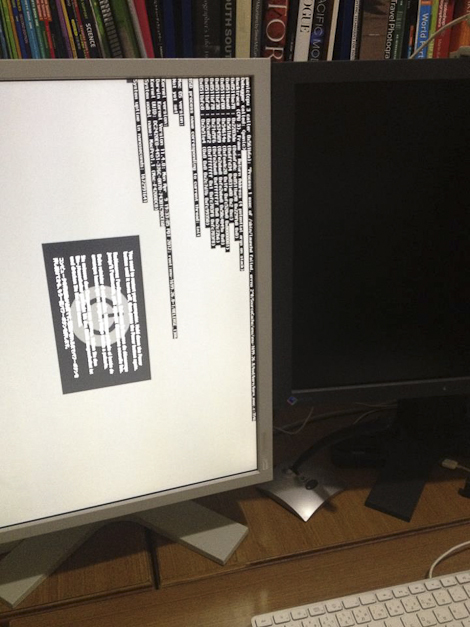
After replacing the “panic locked” SSD drive  and restoring the system from Time Machine, my Mac Pro computer was working once again. On Facebook I happily stated that computer, printer and Photoshop were all in sync and I could get back to work. Then a few hours later there was a glitch in the matrix.
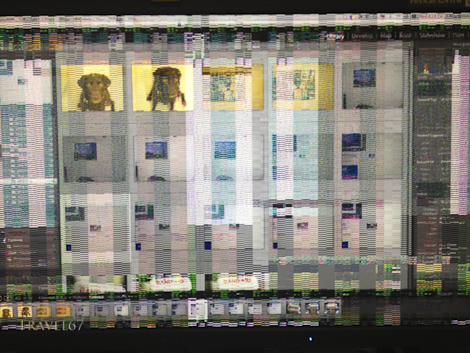
Graphics Card Death

Graphics Card Giving up the Ghost

Turning off the computer and turning it back on again didn’t help. My Nerd Herd friends Robert, Nate and Pietro were out of Okinawa so I’d have to work things out myself.

After a bit of research, I came to the conclusion it must be an issue with the graphics card. The issue being it was no more. It had ceased to be. It had expired and gone to meet its maker. My Mac Pro is a 2007 model 1,1 with a nVidia GeForce 7300GT graphics card with 256 MB of GDDR3 SDRAM. ( I warned you about this earlier on.) I considered looking for an identical graphics card, but they aren’t produced anymore. The latest Mac Pro computers come with an ATI Radeon HD 5770 graphics card with 1GB of GDDR5 memory, and the card can be purchased for mid 2010 Mac Pros as an upgrade. I presumed it would be incompatible with my 2007 computer.  However, the Mac store Q&A comments revealed that this card would work in a 1,1 model Mac Pro, and there was light at the end of the tunnel. I ordered one from Amazon Japan Friday night and it was here when I arrived back from my trip to Kyoto.
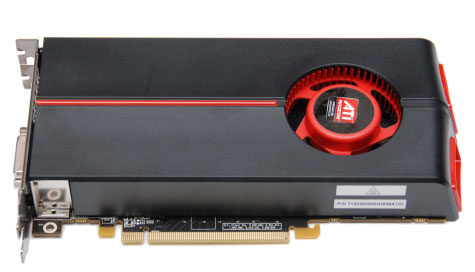
ATI Radeon hd 5770

ATI Radeon hd 5770

I’m not a tech guru. I have never coded, hacked or built my own computer. I had never really considered the importance of graphics cards believing that they were the concern of gamers who spent all their waking hours with people called Soap, Kozak, or John-117. I had no idea how you’d actually go about switching out the graphics cards in a computer.

Mac Pro with ATI Radeon HD 5770

Mac Pro with ATI Radeon HD 5770

Fortunately it turns out that Apple’s powerful workhorse computers are also the easiest to upgrade. I found a video on YouTube that took me through the entire process of replacing your graphics card in a Mac Pro. The video lasted for 3 minutes. If you can cope with Duplo, you can switch out hard drives, memory and graphics cards in a Mac Pro. I installed the new card, turned the computer on and everything is working again. Yippee-ki-yay!

The Mac Pro: “A chimpazee and two trainees could run her.”
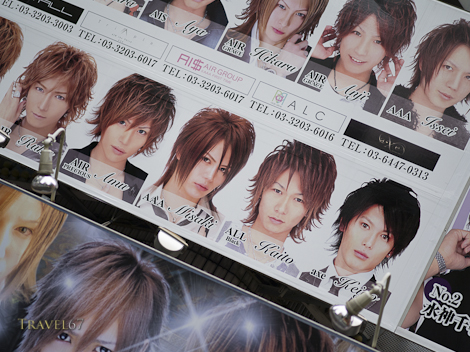
Kabuki-cho, Tokyo’s Red-Light District

Kabuki-cho Host Club

Kabuki-cho Host Club

Kabuki-cho is Tokyo’s entertainment and red-light district. It is located on the east side of Shinjuku Station, it is literally on the other side of the railroad tracks from the government buildings and corporate offices of West Shinjuku.

Party Time - Kabuki-cho

Party Time – Kabuki-cho

Kabuki-cho is filled with bars, restaurants, and the infamous host and hostess clubs. Some of the establishments are run or controlled by the Yakuza and there are numerous stories of people having a couple of drinks in a bar and then being given an unexpectedly large bill.

All Shapes and Sizes - Kabuki-cho

All Shapes and Sizes – Kabuki-cho

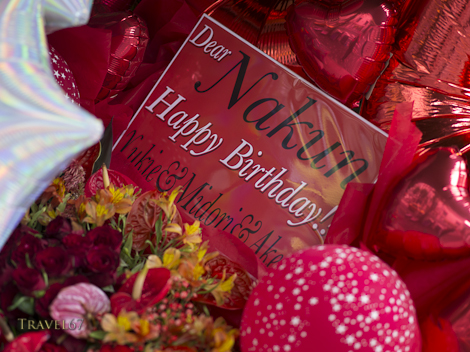
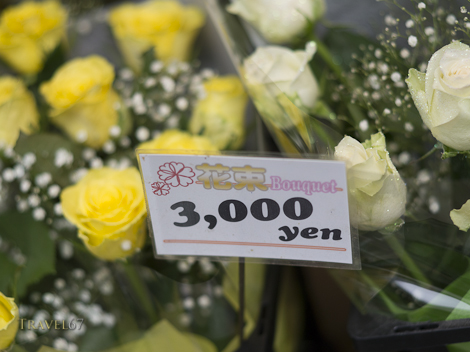
Signs for different clubs fill the streets with the pictures of various hosts and hostesses on display. There are also a surprisingly large number of florists. It turns out that customers often buy roses for their favorite host / hostess along with huge floral displays for birthday parties and the opening of a new club.

Kabuki-cho  - Say it with flowers

Kabuki-cho – Say it with flowers

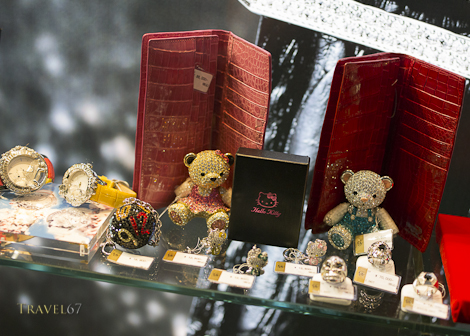
Other stores provide customers with gifts that are cringeworthy. Although, if you like crocodile skin and things encrusted with fake diamonds, you’d be in retail heaven.

Kabuki-cho - Bearing Gifts

Kabuki-cho – Bearing Gifts

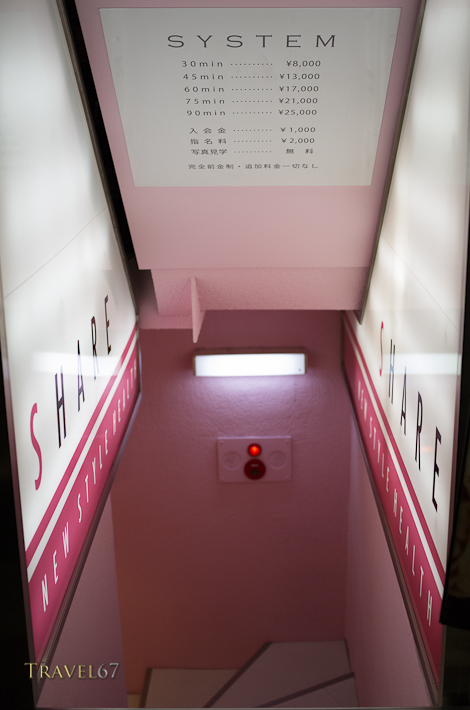
Some establishments have signs saying JAPANESE ONLY. Large guys with mangled ears guard the doors of many clubs, and would probably be more than happy to relieve you of your money, your kidneys and your camera. Tourists are pretty safe wandering around, and a very convenient Toyoko Inn hotel is located in Kabuki-cho. However, descend the pink steps or open that windowless door, and I’ve no idea how deep that rabbit-hole goes.

Kabuki-cho - Stairway to Heaven or Road to Hell

Kabuki-cho – Red-Light Stairway

Data Asset Management

When things go wrong, you’re going to need a back up..

Veteran motorbike riders are well aware of the fact that it’s not a matter of if you have an accident, but when. For this reason it’s worth investing in the best protective gear possible.

Experienced computer users will likewise tell you that it’s not a matter of if your hard disk drive will fail, but when. And it’s not just hard drives, almost any kind of digital data storage device can become unreadable. This includes CDRs, DVDRs, Blu-rays, Solid State Drives and even the optimistically named Secure Digital (S.D.) cards.

People treasure their pictures. As the forest fire approaches or flood waters rise,  it’s wedding albums and family photographs that are saved not plasma televisions and golf clubs. Unfortunately, in this digital era, many people have their images stored on a home computer and when it dies, they’ve lost months or years worth of memories. Data recovery services are an option, and I know of several photographers who have paid thousands of dollars in fees to companies that were able to get back a portion of their images from a particular drive or card.

Not surprisingly, computer companies and particularly drive manufacturers don’t advertise the fact that the two hundred  or even two thousand dollar piece of hardware you’re buying will fail spectacularly at some point in the not too distant future. Of course, it’s recommended in the fine print to back up drives, but they’re hardly going to put data health warnings on the outside of the box.

Which brings me on to Data Asset Management, or in layman’s terms, backing up all your stuff.

The fundamental principle of data asset management is having multiple copies of all your data. When discussing redundancy I believe the U.S. military have a phrase “Two is one, and one is none.”  Tech gurus take this another step saying that there must be at least three copies of all data, ideally in at least two different locations.

In the past year I have had an SD card become unreadable, a hard drive failure, and an SSD drive “panic-lock” (die). The SD card was reformatted, I bought a new hard disk drive, and the SSD was replaced under warranty. In all three cases the data was lost, but it wasn’t a problem because there were multiple copies. (There was still varying amounts of hassle rectifying the problems, but it was mere hassle rather than disaster.)

There are many ways to protect your data, but I’ll start by explaining my current system.

Dual SD card slots in the Pentax 645D

Dual SD card slots in the Pentax 645D

The first backup is done while shooting. Some cameras now come with dual card slots. You can set these up so that the image is recorded to both slots. If one card fails catastrophically as you are transferring the images (computer struck by lightning) or you drop it down a drain, you’ve still got a backup.

Once the files are on your computer your next step is to have them backed up to an external hard drive. Apple have made backing up data an integral part of their operating system with Time Machine.   You can do this wirelessly with an Apple Time Capsule, but as I use a desktop it’s just as easy and cheaper to use any large wired external hard disc. Time Machine automatically backs up all the data on my computer to a 3TB external hard drive.  When an internal hard disk failed I was able (once I got a replacement) to restore the drive from Time Machine.

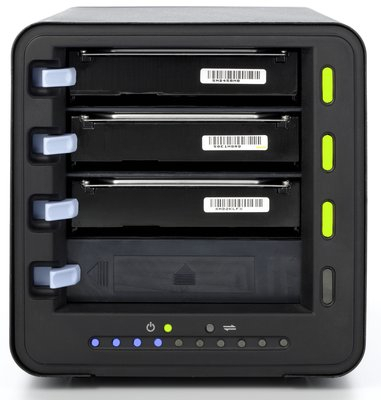
Drobo – built in redundancy across multiple hard drives.

Another popular option used by several of my friends is a Drobo. (Ironically Drobo means robber in Japanese). It works by making multiple copies of your data across several hard drives so that there is always redundancy. If I was working off a laptop and not storing data on the desktop I’d definitely consider getting a Drobo. They’re not cheap, but they come highly recommended.

The next step is to have an offsite backup. The backup drives sitting next to your computer won’t save your data if they are simultaneously burned, submerged or stolen. All my image files (and my iTunes data) are also saved to external hard disks which are stored elsewhere. All my other data is in a 100GB Dropbox account on the web which I can access from anywhere. At some point in the future I may backup all my data to the cloud using Dropbox or another service like Amazon Glacier or Crashplan.

In summary, equipment fails so you need to have a backup. Don’t cross your fingers and presume it won’t happen to you, because it will.

And just in case the world is hit by an electromagnetic pulse weapon, it’s probably worthwhile making a few prints too.

Birds of Japan – Updated

Here’s a quick update to a previous blog post on field guides to Japanese birds. Along with the two books previously mentioned, is a new volume by Mark Brazil (who turns out to be a friend of a friend).

A Photographic Guide to the Birds of Japan and North-East Asia

A Photographic Guide to the Birds of Japan and North-East Asia

A Photographic Guide to the Birds of Japan and North-East Asia by Tadao Shimba. Colour photography throughout , covers over 600 species with a brief description of each bird including its geographic range. The photographs range in quality but still give you a good idea of what the birds look like.

One problem I  noticed is that the book has the English and scientific names of the bird, but not the common Japanese name. If you  buy this book and plan to use it while in Japan (which would be most people I imagine)  having the Japanese name would allow you to ask locals what a bird was or confirm your guess.

A field guide to the birds of Japan

A field guide to the birds of Japan

Until the photographic guide came out the standard book (in English) of Japanese birds was A Field Guide to the Birds of Japan by the Wild Bird Society of Japan. I managed to find a copy in a box of junk, which was fantastic as they were last printed in 1985 and they usually sell for upwards of 100 dollars.

The field guide is excellent with great drawings of adults and immature birds along with summer and winter plumage. There are the English, scientific and Japanese names for each species also. (Impress you Japanese friends with your knowledge of obscure Japanese bird names.)

The latest book on the market is Birds of East Asia: China, Taiwan, Korea, Japan, and Russia (Princeton Field Guides). Based on the fact that I have the Princeton Field Guides – Birds of Peru which is excellent, and that Japan based  Mark Brazil is an extremely knowledgable ornithologist I expect it to be superb. Just ordered a copy as an early Christmas present to myself 🙂

Birds of East Asia: China, Taiwan, Korea, Japan, and Russia

Birds of East Asia: China, Taiwan, Korea, Japan, and Russia

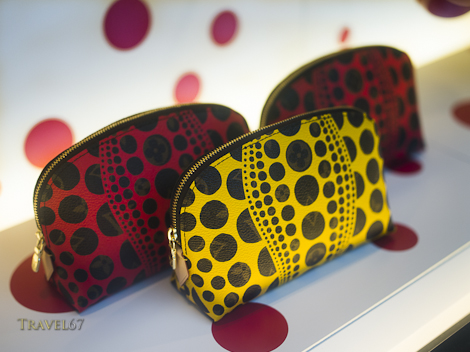
Yayoi Kusama designs for Louis Vuitton

Yayoi Kusama designs for Louis Vuitton, Tokyo

A couple of years back, luxury Italian clothing / accessory brand Louis Vuitton teamed up with Japanese  artist Takashi Murakami to bring some color and youthfulness to their line. This year Louis Vuitton are once again emboldening their somewhat staid image with Japanese artist Yayoi Kusama.

Why is this big news? Because in urban Japan, Louis Vuitton bags seem to be almost standard equipment for hundreds of thousands of office ladies. Once they have graduated college and gained a company job, the acquisition of a LV emblazoned bag appears almost mandatory. Perhaps these brightly colored special editions are for the ladies who want to show their individuality and break free from the ubiquitous brown on brown bags carried by the huddled masses. Of course, there are the  brave few who will push the boundaries of convention even further, and not buy one at all.

Yayoi Kusama designs for Louis Vuitton, Tokyo

HD PENTAX-D FA645 MACRO 90mmF2.8ED AW S

Sasaki-san watching carefully in case I try to run off with the new 90mm super lens.

While I was at the Pentax Forum for my exhibition I got to have a brief play with the new 90mm lens that will be released at the end of this year. It’s a large, heavy lens but doesn’t unbalance the similarly gargantuan 645D body. What I realized was that with its image stabilizer it would be the perfect lens for the kind of travel portraits I love to do. I have therefore made the decision to order one of the 90mm lenses.

Before the new lens arrives it’s time to create some space in the dry cabinet and make the bank balance a little healthier. For this reason I’ll be selling a few of the lenses I’ve been using infrequently over the last couple of years. They’ll go in Ebay in December, but if Pentaxians want to make offers before then just send me a message.

PENTAX SMC M*67 400mm F4ED[IF] with 1.4 converter (grey) and drop in polarizing filter

PENTAX SMC 67 165mm F2.8

SMC Pentax 67 100mm F4 Macro inc. 1:1 converter.

Pentax 67 Auto extension tubes

Pentax 67 angle finder

HD PENTAX-D FA645 MACRO 90mmF2.8ED AW S

HD PENTAX-D FA645 MACRO 90mmF2.8ED AW S

Testing for Toxins

Testing for Toxins

Testing to see what dangerous chemicals are present in my workplace.

Testing for Toxins

It turns out that my studio is free of anything lethal, which is a good thing, because while Jovi was wearing full MOPP gear, I was chilling out in a t-shirt and shorts.

Testing for Toxins

On a more serious note, particularly just after Remberance Day in the U.K. and Veteran’s Day in the U.S., for some people the threat of sickness or death from chemical and biological weapons is a very real concern. Hopefully, one day, humanity will have progressed and the danger of these horrific armaments will no longer exist. To those who, for the protection of others, face this threat on a daily basis, thank you.

Testing for Toxins

A Photographer’s Christmas Wish List – Polarizers

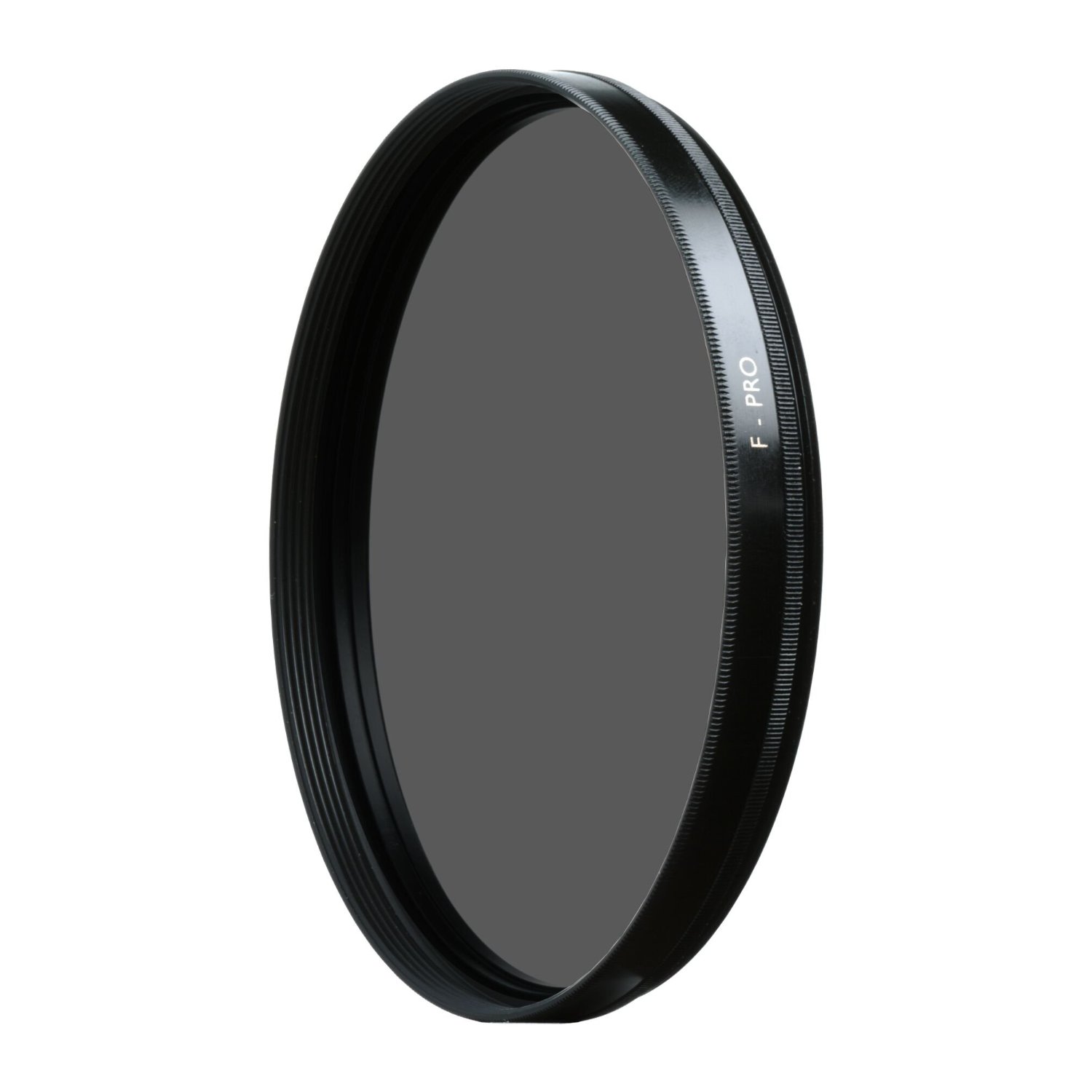
Polarizing Filters are a great accessory for photographers. Some may argue that UV filters are a waste of money, and that colored filters are obsolete in the age of Photoshop, but polarized filters are still a fantastic tool particularly for landscape photography.

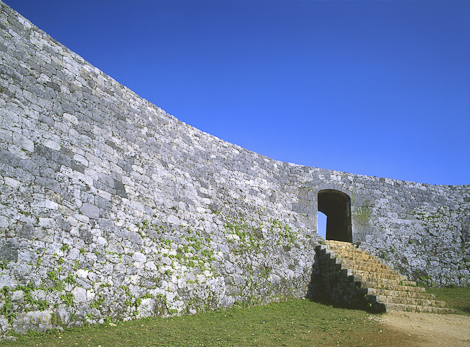
A polarizing filter will give you saturated blue skies and bright white clouds, verdant vegetation, and  remove reflections from water.

Polarizer Punch

Before you rush out and buy one for you or your loved one, here are some things you need to be aware of:

Buy the same diameter filter as the lens you’ll be using the filter on. To find out the lens diameter check on the back of the lens hood, or on the lens itself. It’s often written with a diameter symbol so it would look like this  ⌀72 for a 72mm diameter lens.

“Wide” versions of polarizers are thinner (and more expensive) so they don’t result in vignetting of the image when placed on wide angle lenses.

Buy a circular not a linear polarizer. Linear polarizers can lead to autofocus problems with modern SLR cameras.

The quality of glass in the polarizer will have an effect on image quality and more significantly on price. The benefits of having a very expensive and sharp lens may be lost by using a cheap filter, but likewise you’re probably not going to notice the benefits of a 400 dollar polarizer compared to a cheaper one unless every other link in the image quality chain is solid.

I have a selection of polarizers I bought a decade ago, and although cameras and lenses have changed they are all still good to go. I always put them in my camera bag when I’m going on trips, a useful and sometime indispensable photographer’s tool.

I usually get my photographic gear from B&H Photo in the U.S. , Amazon.com , Amazon.co.uk , Amazon.co.jp or Yodobashi Camera but you should also be able to pick up polarizers from your local camera store.