Latest Posts

Synchronized Freedive Photography

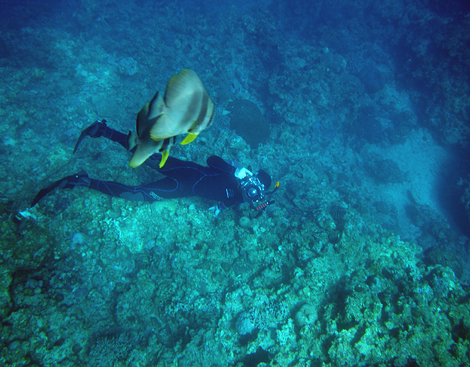
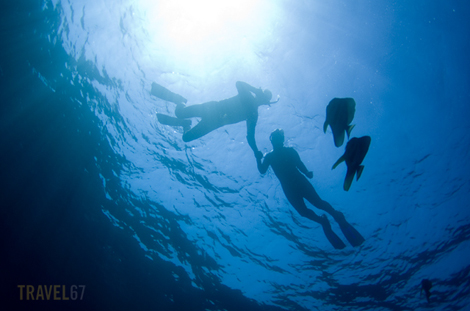
Freediving is diving without the use of SCUBA gear. Jacques Mayol (as mentioned in my Yonaguni posts) was one of the world’s most famous exponents of the sport. While my parents were visiting Okinawa I took them snorkeling at Cape Maeda. I brought the K5 camera and housing along, held my breath, and got some shots of them exploring the reef. My dad brought along his W60 waterproof P&S and at one point we took photos at the exact same time.

The view from above - ( Pentax W60 )

The view from above (Pentax W60)

The view from below ( K5 with Ikelite housing )

The view from below ( K5 with Ikelite housing )

It turns out that freediving and photography are a tricky mix. As a photographer you’re often limited by battery life, memory cards, imagination and talent, but removing the ability to breathe is perhaps pushing things a little too far. Until I’ve developed gills, I think I stick to doing most of my underwater photography with a tank of air.

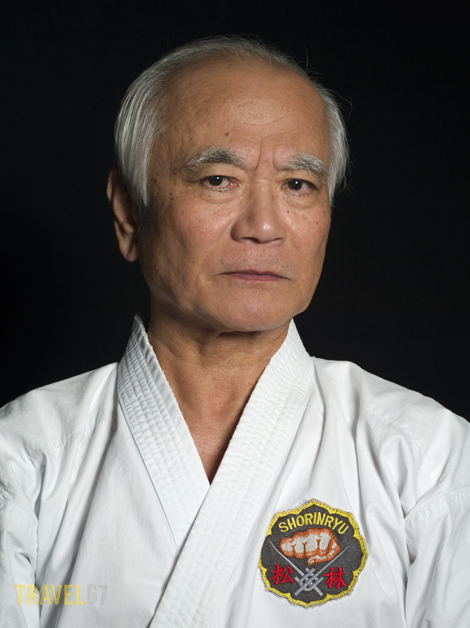
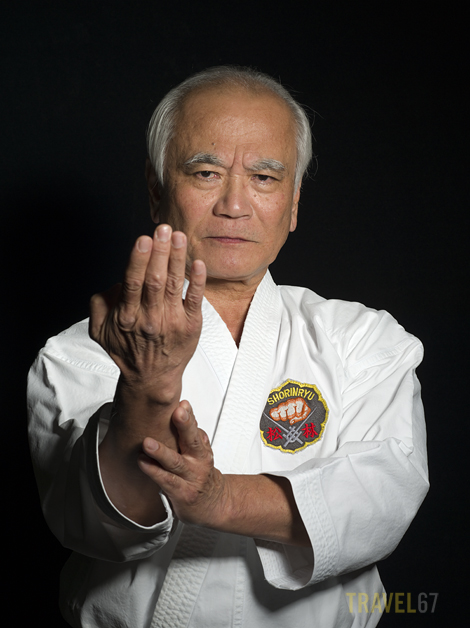
Gojuryu 8th dan Masaji Taira.

Gojuryu Karate 8th dan Masaji Taira.

Gojuryu Karate 8th dan Masaji Taira.

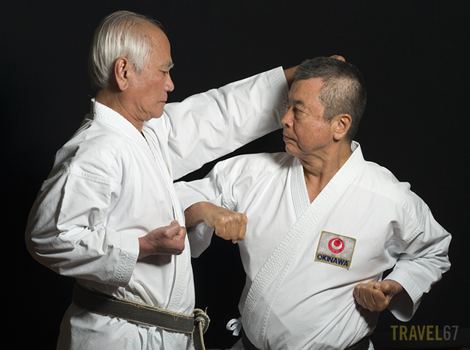
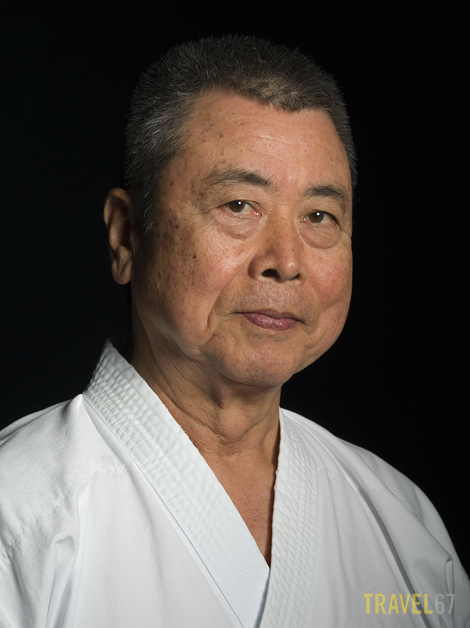
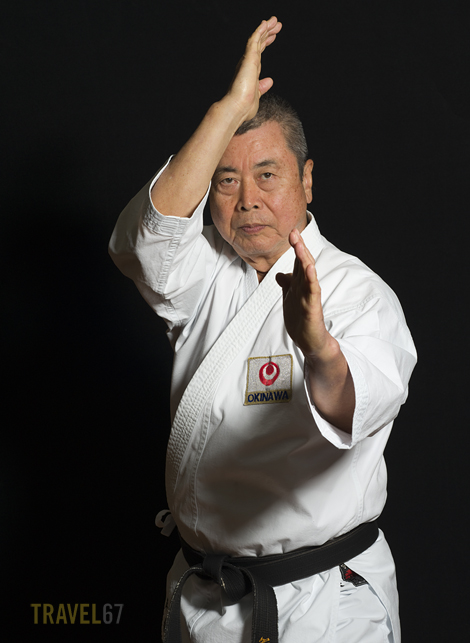
Another set of images for the Karate Masters Portrait Project.  Masaji Taira is 8th dan in Gojoryu karate . You can read more about him on Wikipedia.

Gojuryu Karate 8th dan Masaji Taira.

Gojuryu Karate 8th dan Masaji Taira.

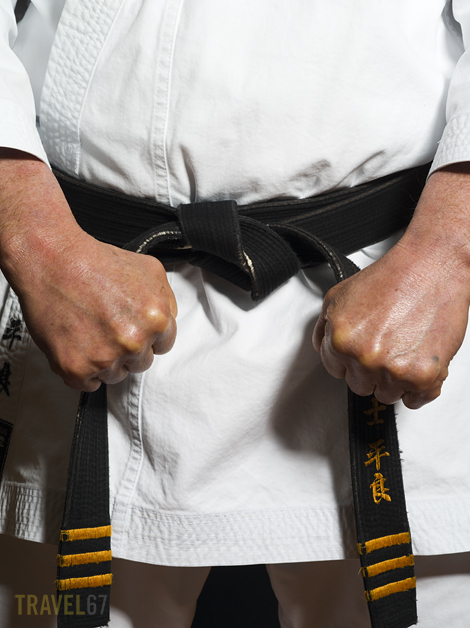
Here you can see the result of years of conditioning the knuckles by striking hard objects with bare fists.

Gojuryu Karate 8th dan Masaji Taira.

Gojuryu Karate 8th dan Masaji Taira.

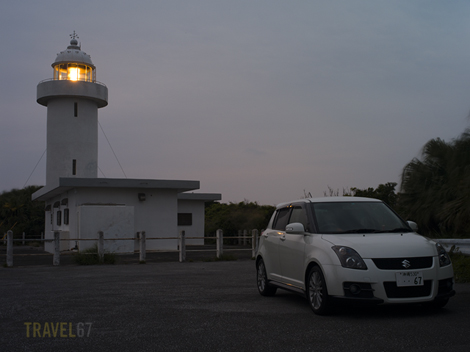
A Swift Adventure – Iheya Island, Okinawa

A Swift Adventure

A Swift Adventure - Iheya Island, Okinawa

Last weekend, I went over to Iheya Island with fellow photographers David and Jose. It’s a 90 minute ferry ride from Unten Port on the Motobu peninsular. Rather than rent a car when we got there, we all bundled into my little Swift. One of the advantages of a small car is that it makes the ferry ride cheaper.

Misty Mountains, Iheya Island, Okinawa

Misty Mountains, Iheya Island, Okinawa

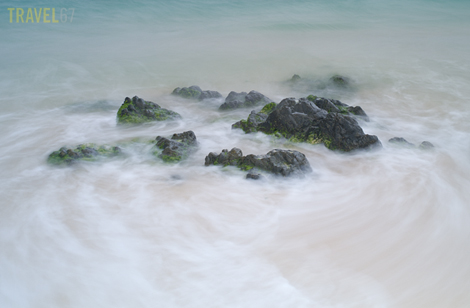
The weather wasn’t great while we there, thick clouds at dawn and dusk meant there were no spectacular sunrises or sunsets. It was, however, a decent opportunity to explore one of the islands I’d never been to before. And because I didn’t get all the shots I wanted I have a good reason to go back again.

Rule of Thirds - Iheya Island, Okinawa

Rule of Thirds - Iheya Island, Okinawa

One of the island’s attractions is Kumaya-gama a large cave beside the ocean that holds a small shinto shrine. I think the plastic buckets you can see on the floor to the right of the shrine are to collect droplets of water dripping from the rock. At other religious sites in Okinawa such as Sefa Utaki, this water is thought to be sacred. Blue and yellow buckets don’t seem particularly reverent. but I guess they get the job done.

Kumaya-gama, Iheya Island, Okinawa

Kumaya Cave, Iheya Island, Okinawa

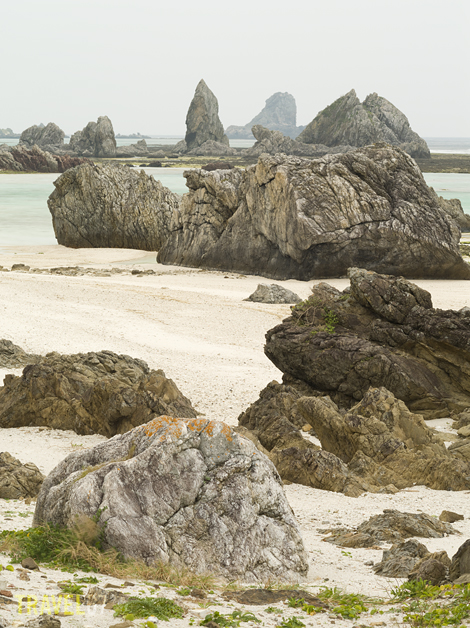
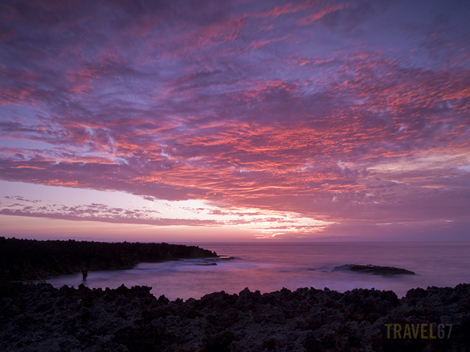
And finally, a shot of the unusual rocky coastline of Iheya.

Shioshita Beach, Iheya Island, Okinawa

Shioshita Beach, Iheya Island, Okinawa

In the Studio – Catron

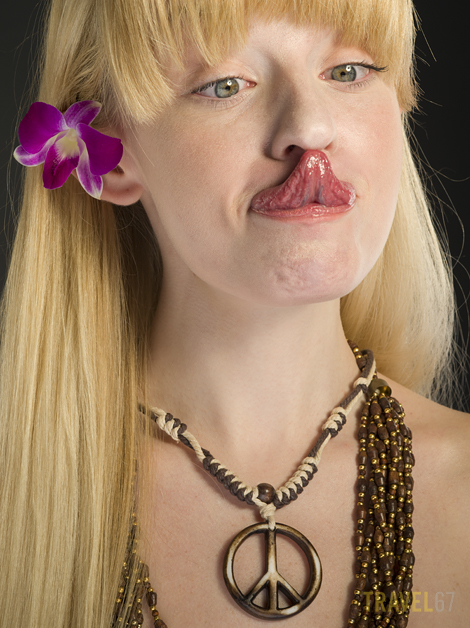
Catron - Hippie Chick

Catron - Hippie Chick

A fun studio shoot with Catron, makeup by Summer Johnson. Lighting setup was the same as in the recent shoot with Yuki.

Catron - In from the Cold

Catron - In from the Cold

To give the final image a little movement, I brought in a desk fan from my office and asked Summer to point is at Catron’s face. I  shot several frames as the exact result is unpredictable, but  was really pleased with the image we created.

Catron - Fan-tastic

Catron - Fan-tastic

In the Studio – Yuki

In the Studio  - Yuki (1)

In the Studio - Yuki (1)

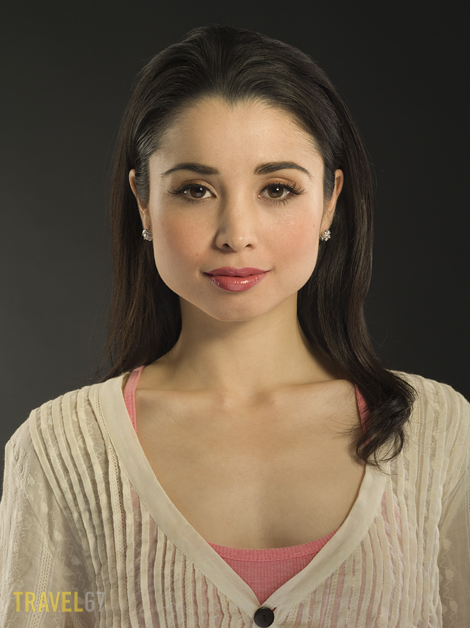
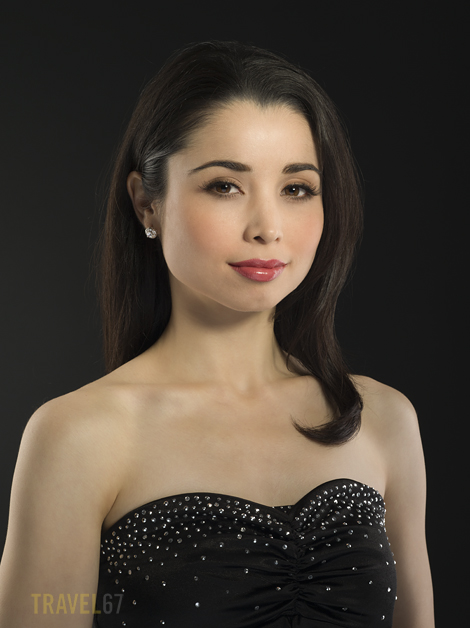
A few studio images of Yuki that she can use to update her portfolio. We shot three looks; natural, casual and formal. I kept the style of image simple with a grey background, but used 5 lights: a beauty dish as the main light, a softbox providing fill, two strip boxes for rim light and a hotshoe flash pointed at the background. A far more complicated setup than the single light karate portraits, but for beauty shots it’s great to have both the option to use more lights and the time to work with them.

In the Studio  - Yuki (2)

In the Studio - Yuki (2)

Makeup by Summer Johnson and jewelry provided by Ledeen Diamond Co. Boutique.

In the Studio - Yuki (3)

In the Studio - Yuki (3)

White Mouse or Black Tablet

A friend asked if I wanted to buy a black tablet. He told me I’d be able to interact with the world in ways I couldn’t even dream about. I’d become faster, more agile, in more control. He’d been a user for a few months, but decided to quit. He offered me a deal.

“You take the white mouse – the story ends, you wake up in your bed and believe whatever you want to believe. You take the black tablet – you stay in Wonderland and I show you how deep the rabbit-hole goes.”

I paid him the cash, he mailed me the tablet.

The mouse is caged, but will this be a bitter pill to swallow.
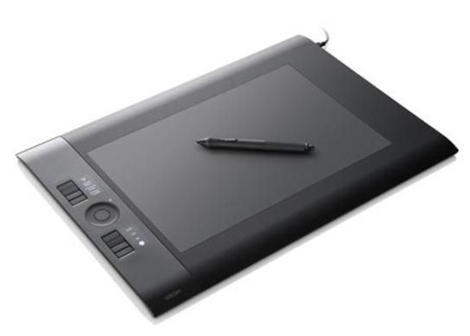
Wacom Intuos4 tablet large

Wacom Intuos4 tablet large

To paraphrase, Pietro a photographer friend asked if I’d like to buy his Wacom Intuos4 graphics tablet. He wasn’t using it much and thought I’d find it valuable when editing in Photoshop or Lightroom. He offered me a great deal so I took it. I’ve never used a tablet before and heard they take some getting used to, but they’re pretty standard equipment in the world of post processing. Once I’m comfortable working with it, it should make retouching images faster and easier.

Rather than controlling the pointer on your screen with a mouse, you do it by moving a pen over a tablet. Tablets vary in size, but on the one I got the working area is about the size of a piece of A4. In the standard mode, the working area automatically matches the computer monitor. Touch the pen to the top right corner of the working area and your cursor will be in the top right of the screen. Pressing the nib of the pen to the tablet is like a left click on a mouse. Buttons on the side of the pen can operate as a right click function or you can customize then to your needs. When using programs like Photoshop the tablet comes into its own.
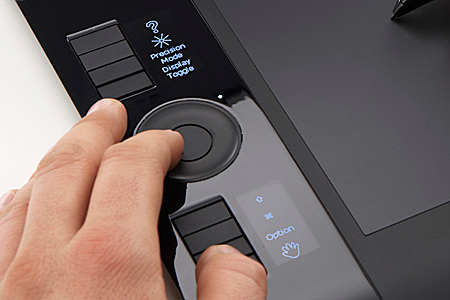
Wacom Intuos 4 tablet

Wacom Intuos 4 tablet

In graphics programs the pen is pressure sensitive and aware of the angle. This means that you can work much more naturally whether you are drawing a picture or balancing out skin tones on a photograph. The pen even comes with a selection of nibs each with a different feel. Shortcut buttons and a wheel on the side of the pad allow you to access commonly used functions without leaving the tablet and reaching over to the keyboard.
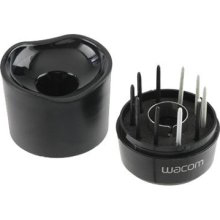
wacom intuos 4 nibs

wacom intuos 4 nibs

After using the tablet for a couple of weeks I’m finding it a useful and enjoyable way to work. Customizing the shortcut buttons was key, as was setting the tablet up so that there is a small area for rapid movement around the screen and a larger area for detail work.

Would I recommend a tablet? It depends on your needs. If you spend a significant amount of time on the computer drawing, using CAD programs, or post processing then it’s a definite yes. But, if you’re happy with the mouse, then save your time, money and desk space.
Karate Masters Portrait Project – Hanshi 10th dan Yoshitaka Taira

Hanshi 10th dan Yoshitaka Taira

Hanshi 10th dan Yoshitaka Taira

These are the first images in the Karate Masters Portrait Project. The idea is to document the hanshi (grand masters) of karate. I wish I had started this project several years earlier before some of the hanshi passed away.

Hanshi 10th dan Yoshitaka Taira

Hanshi 10th dan Yoshitaka Taira

Hanshi 10th dan Yoshitaka Taira

Images are shot with the 645D which means I have fantastic detail, important for an archival project. I used a portable black velvet screen to have clean background and then used a single studio light with a beauty dish for illumination. I plan to shoot all portraits with the same setup.

Hanshi 10th dan Yoshitaka Taira

Hanshi 10th dan Yoshitaka Taira

In the Studio – Adriesa

Adriesa - Box

Adriesa - Box

Another couple of images from the studio. Thanks to both the model Adriesa Kane and makeup artist Summer Johnson.

Of interest to photographers is that I used an extra light in this setup. As well as the beauty dish above my right shoulder and the rim lights behind each shoulder of the model I also added a medium softbox as fill at my feet. This gives a flatter, less moody look to the shots when you don’t want such intense shadows on the model’s face. It also adds light to the lower part of the body reducing the spotlight effect of a gridded beauty dish. The catchlights in the eyes also change, with reflections from both the beauty dish (donut shape) and softbox (rectangle shape).

Adriesa in Wool

Adriesa in Wool